We like making camera apps. Each year new phones are released and even though tech companies like to wow you with all their new features, it feels like we plateaued a long time ago with functionality (for most people). The device you had 5 years ago is just as capable of surfing the web, playing podcasts and videos as the top-of-the-line device today. There is one thing that has noticeably improved and that’s the camera. Maybe not between years, but certainly the sensor quality between an iPhone 4, 7, 12 and 17 are remarkably different!
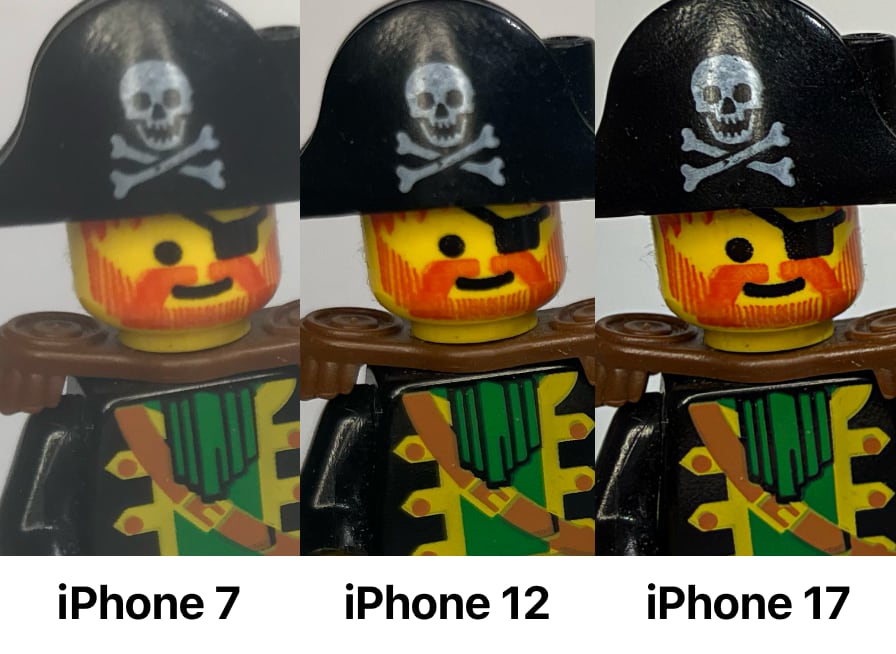
We like taking pictures and we like experimenting. Recently, we had a few photographic itches to scratch, so we created a few more cameras for us to test internally. They’re not public (yet), but if you want to try them, let us know.
At this point, we have a solid, shared code base for accessing the iPhone’s camera lenses and permissions. There is a massive amount of overlap to simply get a camera or video feed and save that back to the camera roll. Now that we’ve setup this ‘common camera’ code any bugs we find are also immediately applied to all our camera apps. It also means that the last step in the camera app’s life-cycle is where we can focus, the actual taking of the photo. Usually as we capture frames off the camera’s feed we apply the desired filter and then again when the camera image is saved.
We can quickly create a new camera app and focus on just making something interesting happen on that live feed. Since everything is already nicely abstracted, it is easy to experiment.
It should be noted that many similar apps are available on the App Store. The ones we’ve tried either didn’t work, were clunky and not really updated or weren’t what we wanted. You’re milage may vary. We’re lucky enough to be able to make our own in the style we like, which we also made available to download.
Color Splash
We saw a few tutorials about how to make your black and white images “pop” by selecting just one color and making the rest black and white. The process is pretty straight forward in any image editting software. Duplicate the image onto another later and make it completely black and white. On the top later mask or erase all the other colors. We wanted to replicate this in camera.
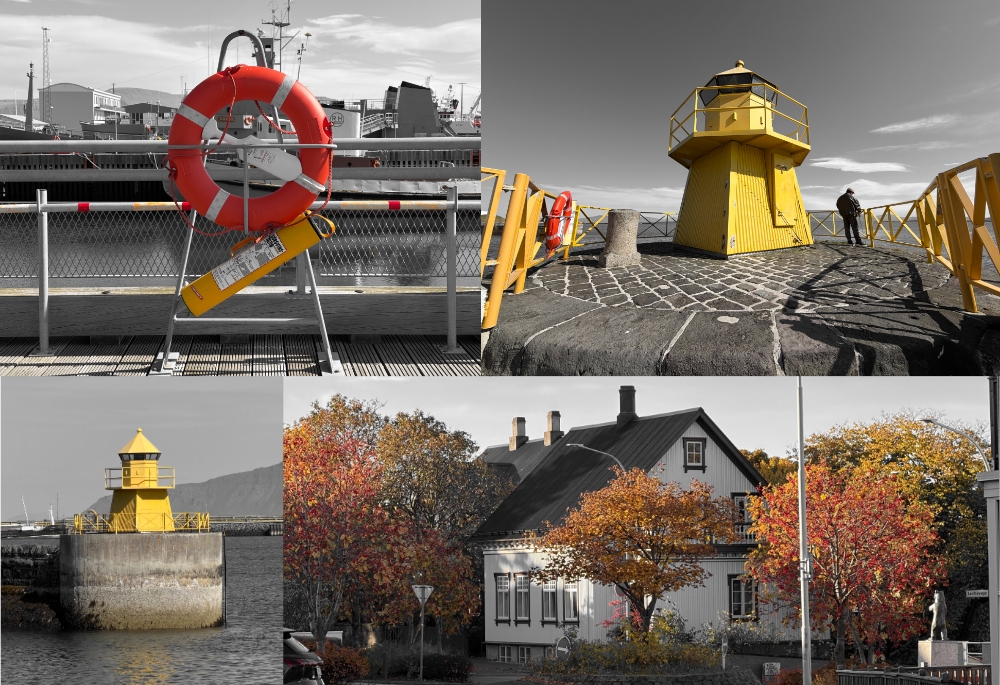
Sure you can also do this in post-production, but sometimes seeing the final output helps you compose the shot better. Then there are folks who just want to take the photo and share it rather than fiddle with it too much afterwards.
The output is still rough around the edges because many organic things don’t nicely stop and start at a given color. Faces and edges sometimes are problematic, but we have plans to help with this by allowing you to mask areas to also make black and white no matter what the color actually is in camera.
Tilt Shift
Tilt-Shift photography is something that is done with an offset lens. When composed well, it makes the scene look like a tiny model. Coupled with some sharpening, dropping of frames and speeding up the video you get a sort of tiny world stop motion effect.
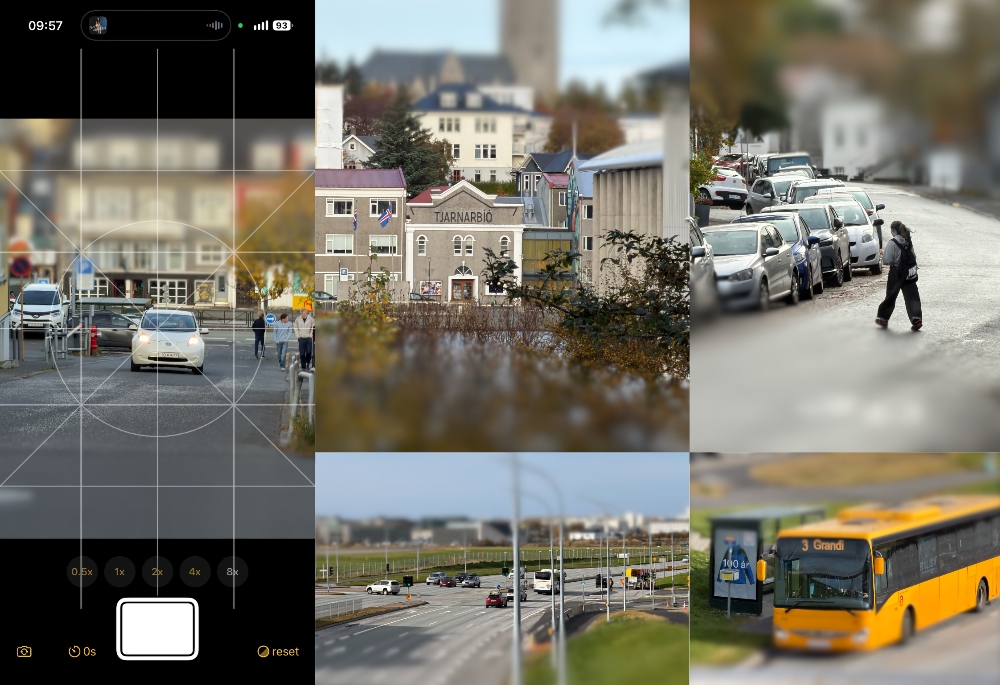
We wanted to mimic this in camera and handle the features we wanted. While testing this, we quickly realized that to make it ‘feel small’ there is also a lot of specific compositions rather than camera technical issues. Getting too much of a close-up doesn’t let you feel the scale. Having foreground and background images in focus also feels strange. Composing from above as opposed to from below also helps the effect. If we’re making things feel smaller, why are you even smaller looking up or at the same level?
All these are not technical issues with the camera, but more stylistic choices which we’d never know about unless we got out there and took photos. There are some bugs and blur transitions we’d like to fix, but there’s a seed of progress and something fun for sure.
Next Steps
Right now, both camera apps ‘work’ but they feel like they’re 95% complete. They correctly demonstrate the desired effect, but they’re not at a point yet to put out into the real world. Firstly, we’ll fix a few issues that bug us when snapping then open up to the public for feedback and download. If you want to beta test, let us know.
Our Other Camera Apps
We have six other camera apps available on the Apple App Store for $1.99 each:
- Blocks Cam: Convert any photo into pixel art with several different color filters
- CameLUT: Load custom LUT Cubes. It’s a bring your own filter camera
- DejaView: Takes four photos that reach back into the past
- Ornithoto: Continually merging frames to make action trails
- SF Camera: Split Fount gradient overlays of your images.
- Trichromacy: Each of the RGB layers is on a slight delay.

Our collection of 6 iOS camera apps all bundled-up for a single price of $3.99