Camelut is a bring your own filters camera.
Download Camelut on the iOS App Store
Camelut is our third experimental iOS camera app. It takes industry standard LUT Cube files which are used to color grade images and video and applies them in real-time to your camera feed as you take photos.
One of the benefits of LUT files is that you can find, download, install or create your own custom filters. This is something that other camera apps can’t do. Normally, you’re stuck with the filters they provide, but Camelut let’s you import your own. That’s the downside, you need to find, curate and manage your own filters. That’s not for everyone. With great flexibility comes great power.
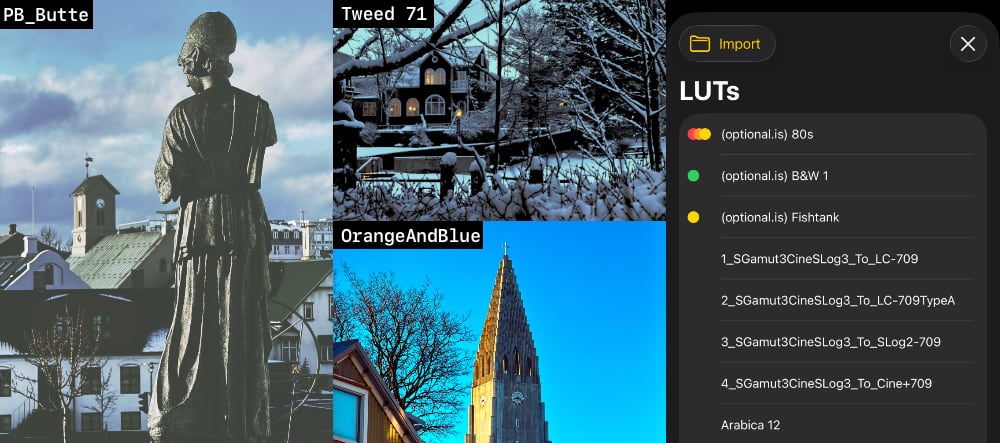
To help you get started, we made three LUT files you can download and try. Download ZIP: (optional.is) LUTs (880 KB)
There are plenty of other LUTs out there for free and pay. You can even create your own in many popular image editing software tools. (Search for “Export Adjustments as LUT”)
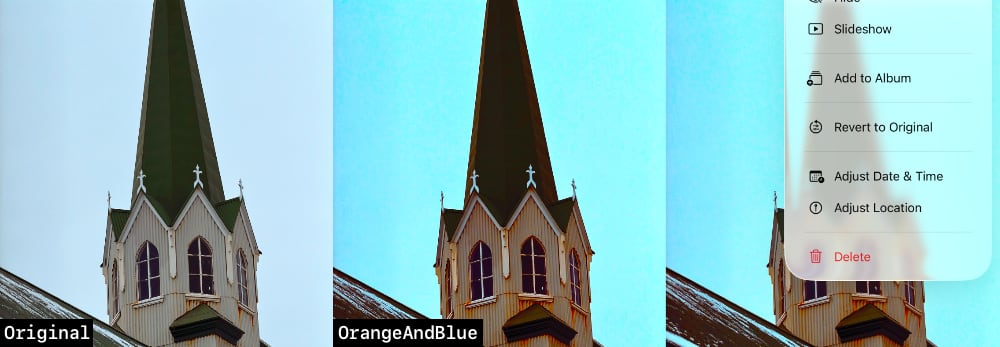
We implemented a bunch of non-intuitive features which mimic other photography apps, but are not exposed in the UI. For instance, when you take a photo with a filter, it appears in your photo library with the filter applied (as you’d expect). At some point we thought about also adding a button to save the original image, sans filter, as well. After digging around, we decided to add the source image and then as a second version of the filtered image to it. In the photos app, you can “revert to original” and you can get the source image. If you really want both, you can duplicate the image and remove the filter on one. This isn’t intuitive, but it’s also the way several other apps handle it, and we wanted to try to be a good photography app citizen and follow conventions.
Personally, we’ve been experimenting with 100+ different filters. The first time you take a picture they look horrible. You think, what’s the point of this filter? Then you’re outside in daylight and try the same filters again. This time they work really well, so it’s hard to delete a filter just in case!
We have several go-to filters, which is why we created 4 tag categories. We put similar Black and White LUTs together, created a Vintage style LUTs category, one for LUTs that work well Outdoors and another for our Favorites LUTs. This makes it easier to navigate around (by swiping) and find the best filter for the situation. You can create your own category names that make sense to your photography style.
This is now one of our go-to camera apps. Since it is our own itch to scratch, we’ll continue to explore, improve and support Camelut into the future.
Read more about Camelut and basic features and functionality.
Download Camelut on the iOS App Store