We continue to dabble in unique camera apps. After a bunch of code refactoring, we have a solid base to go from idea to prototype to new app quickly. That means we can experiment with new ideas and see if we like them. Getting into the field and snapping images tells you a lot more than just imaging the possibilities.
TL;DR You can download the SF Camera on the iOS App Store for Free until the price goes up September 02026.
We have a folder called “Inspiration” which we file away interesting images and ideas. Every once and awhile we browse through the folder when we need something new. As we recently browsed through, we saw that we saved several beautiful gradient, screen printed images. This is sometimes called “Rainbow Roll” or “Split-fount” screen pulls.
We liked this effect and tried to replicate it in some image editing software. It’s pretty easy and straight forward.
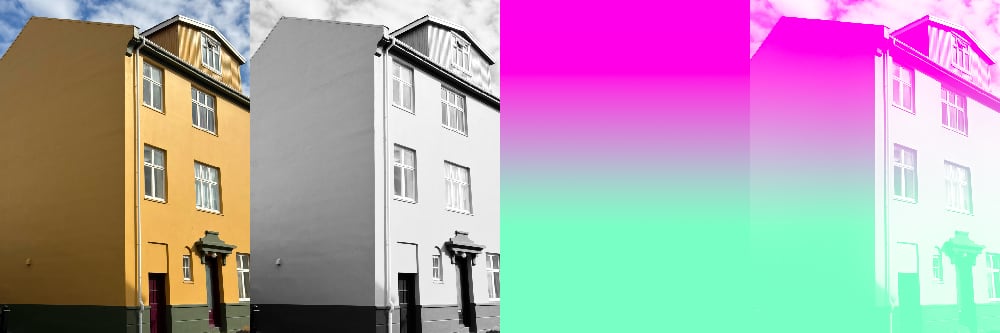
- Select your base image.
- Convert it to black and white (Salt to taste).
- Create a second layer and put a color gradient over that.
- Convert that gradient layer from blend mode “Normal” to blend mode “Screen”. The black and white pixel values control the color that shows through.
Even though a lot of our filters and camera effects can be done in post-processing, we really enjoy seeing through the view-finder the finished concept. Rather than take the color photo and go through these steps, we find it easier to compose the shot as we see the effect. It is a trade-off since in post you can infinitely tweak colors and other settings, but shooting as you see it means if you’re happy, one-click and you’re done – ready to share.
(Split-Fount) SF Camera was designed to create impactful photos quickly and easily. We have a limited pallet of colors, 11 so far, that you can swipe to choose the top and bottom gradients. The black and white image underneath is one designed to create high-contrast. We also allow you to invert the black and white to create interesting alternatives to the regular screen print style.

Download the SF Camera on the iOS App Store for Free until the price goes up September 02026.
With some of our other camera apps, you can always go into the photos.app and ‘revert to original’. This will remove the gradient and black and white effect and get you back to the source image. From there you can recreate the effect or do something completely different with the photo. Using SF Camera does NOT lock your photos into only this effect.
Future Improvements
To change the gradient colors you can tap the text at the top to cycle through, but we’re mostly focusing on swiping! It is a hidden UI that is intuitive once you know it exists. We updated the swipe code to not only know what direction, but also which region (top/bottom/left/right). When you swipe left on the top half, we can cycle only through the top gradient color. Swiping up or down cycles through both. This has worked really well once you know it exists. But as we add more features and don’t want to overload or confuse the swipe motions.
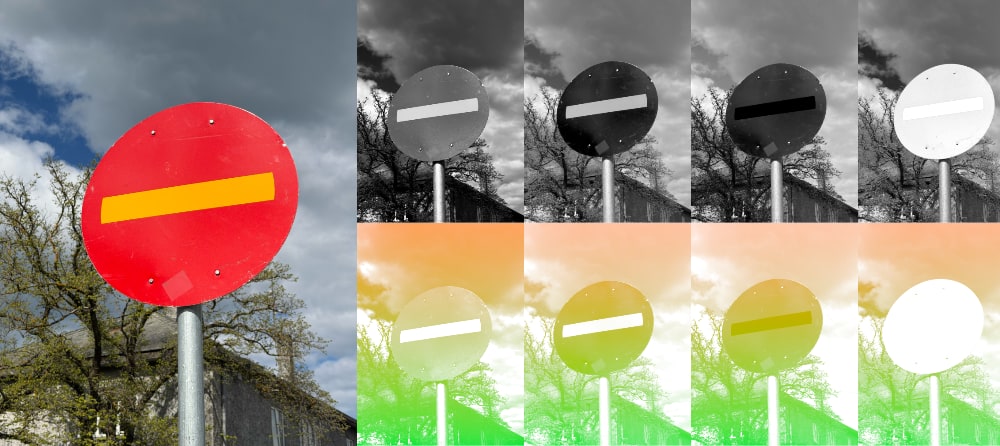
Not all greyscale images are equal! There are lots of ways to make a black and white image. Currently we are using an equation to make a hard light greyscale with lots of contrast. This has worked really well, but we took a photo or a bright red stop sign on a beautiful blue background and everything was equally grey. There was no contrast when applied the color gradient. The simplest way to solve this is to use different methods of converting color images to greyscale. Only take the Red channel, or only the Blue or Green. That would fix our previous Red/Blue problem, but now we’re adding more work onto you. It is probably worth it, but how it gets added and implemented is still up for debate.
Even though the app is live for anyone to download, there are still a bunch of improvements and ideas we’d like to implement.
Examples
We made this camera app on a whim over the course of a few days. Then spent a few weeks refining some of the colors, options and interactions. It is a fun, cheerful camera that has completely taken over our camera roll!
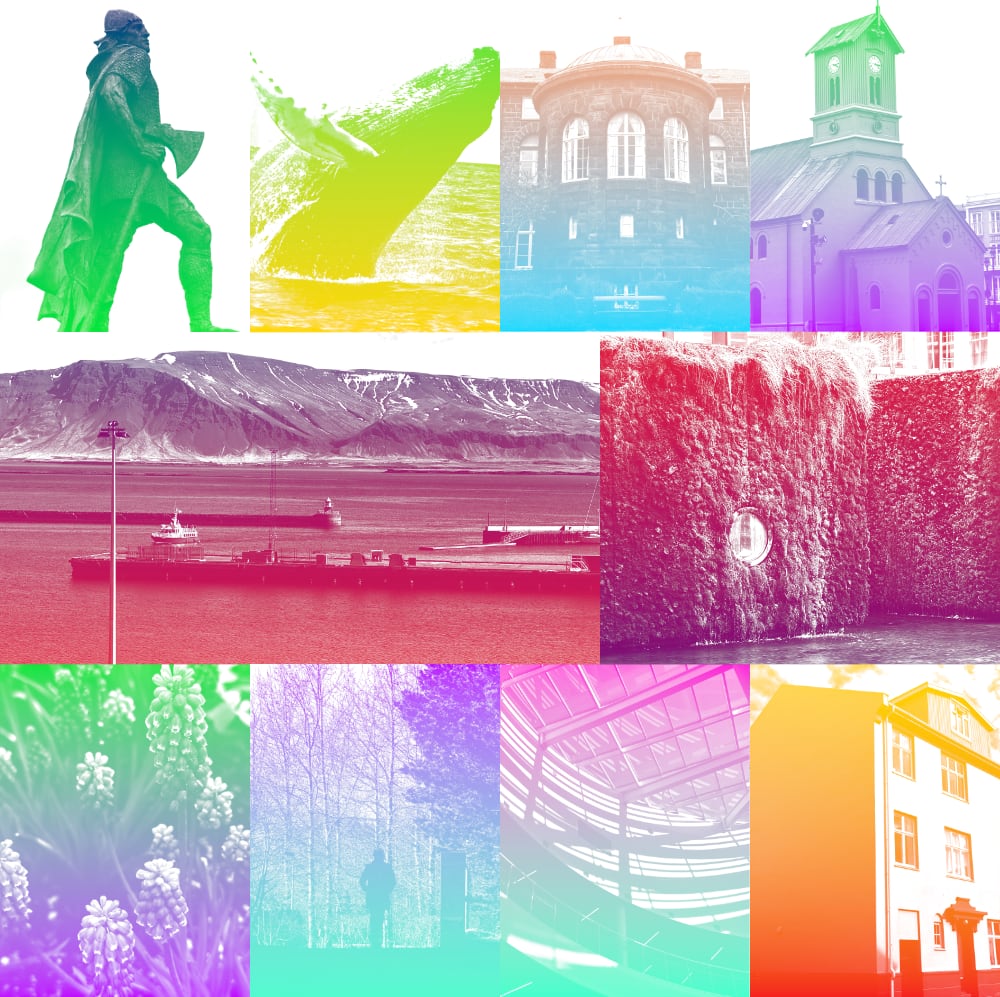
If you download the app and enjoy it as much as we do, please share your images and let us know.
😎☀️📷 Happy summer snapping! Download the SF Camera on the iOS App Store.